

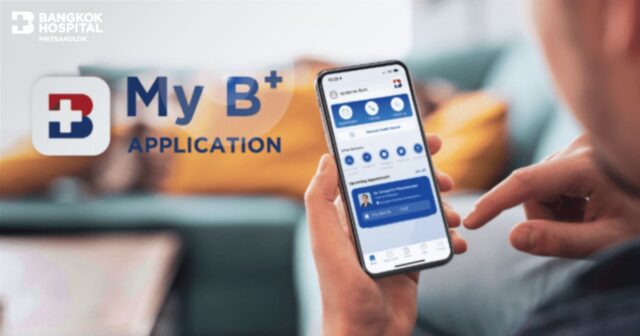
My B+ Application
Your complete health information at your fingertips.
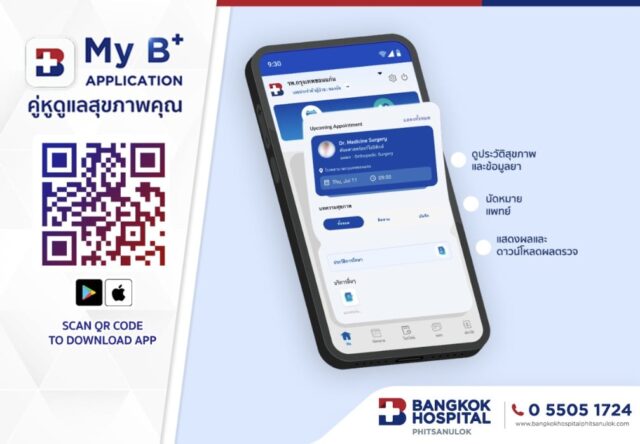
My B+ is a comprehensive mobile application designed to support your health—anytime, anywhere. With just a single tap, you can access your medical information and conveniently choose the healthcare services you need. Key features include:
-
Schedule medical appointments and health check-ups
-
View your personal health records, including medical history, lab results, prescriptions, allergies, appointment history, and check-up results
-
Access family members’ medical records
-
Read informative health articles and wellness tips
-
Discover exclusive health packages
Hospital-Specific Health Records Display
My B+ Application only displays medical information from hospitals that match your registered personal details and for which you have provided consent to access the data.
If you notice missing or incomplete information, please contact the Medical Records Department at the respective hospital to verify your identity and update your medical records accordingly.
Getting Started with My B+ Application
Registration and Setup Process:
-
Download My B+ Application, compatible with iOS 14.0 or later and Android 10.0 or later
-
Launch the app and tap Register
-
Enter your national ID number and mobile phone number to verify your identity
-
Tap Request OTP
-
Enter the OTP received via SMS
-
Set a secure password (minimum 8 characters, including uppercase, lowercase, and numbers, e.g., Abc12xxx)
-
Create a 6-digit PIN code to access the app
-
Agree to the data privacy and sharing terms
-
Fill in your personal information (If you have existing medical records, please ensure the registration details match the hospital’s records)
-
If your information matches the hospital’s records, the system will link your data automatically. If not, a hospital representative will review and connect your data before the app becomes usable
-
For registration support, contact:
-
Phone: 0-5505-1724
-
Facebook: https://bkn.co.th/r/HUx6wh
-
Operating hours: Bangkok Hospital Phitsanulok (08:00 – 17:00)
Secure Access via Biometrics or PIN
At Bangkok Hospital, we prioritize your personal data security. Therefore, identity verification is required each time you log into My B+ Application to ensure your information remains private and protected.
Authentication Options:
-
Fingerprint scan
-
Facial recognition
-
6-digit PIN
Forgot Your Password or PIN?
You can reset your password and PIN code as follows:
-
On the login screen, tap Forgot Password / PIN
-
Enter your national ID number, phone number, or linked email address
-
Tap Request OTP
-
Enter the OTP sent to your email or phone
-
Set a new password and PIN code
-
Complete the reset process
Changing Your Password or PIN
To change your current password or PIN:
-
Go to Profile
-
Select Settings
-
Tap Change Password / PIN
-
Choose either Change Password or Change PIN
-
Enter your current password
-
Set your new password or PIN
-
Tap Confirm to complete the update
Manage Notifications
You can customize notification settings by:
-
Going to Profile
-
Selecting Settings > Notifications
-
Toggle the switch to green to enable, or gray to disable
-
Choose to receive:
-
All notifications
-
Appointment-related alerts
-
Medication reminders
-
Language Preferences
To change the language of the application:
-
Go to Profile
-
Tap Settings > Language
-
Select your preferred language
Data Privacy and PDPA Compliance
At Bangkok Hospital Phitsanulok, we take your privacy seriously. We fully comply with international data protection standards and Thailand’s PDPA (Personal Data Protection Act).
To access My B+ Application, you are required to register with your full name, phone number, date of birth, and either a national ID or passport number. Authentication involves setting a secure password and PIN code. You may also enable biometric login using FaceID or TouchID.
Even though the app features high-level security, users are advised to keep their passwords, PINs, and personal data strictly confidential.
Already Registered but Unable to Access the App?
If you’ve completed registration but are unable to verify your identity, it may be due to mismatched data between your app registration and the hospital’s records. Please visit the Medical Records Department at Bangkok Hospital Phitsanulok in person to resolve the issue and activate your access.
Installation Guide:
https://r.bkn.co.th/public/Manuel.png