

WHAT IS
Instant Booking
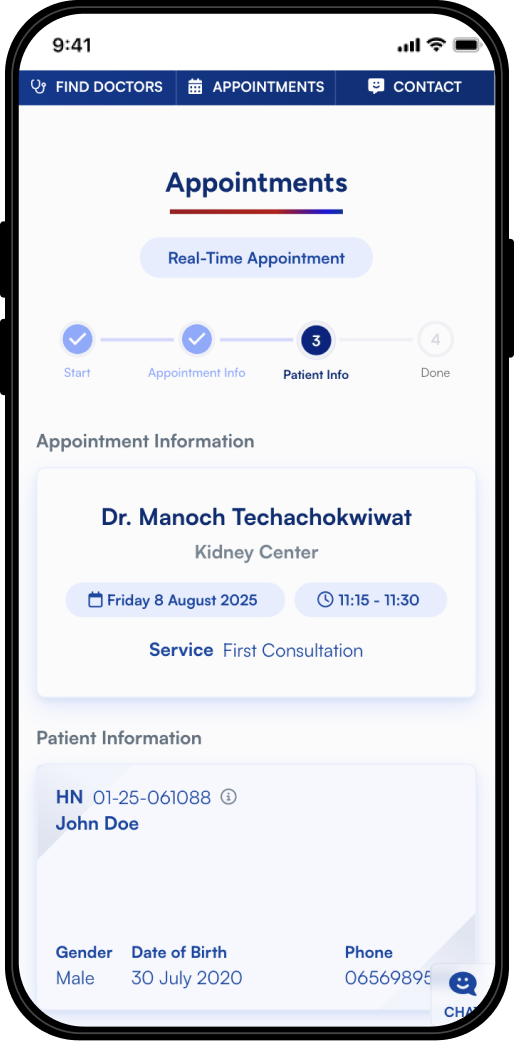
Instant Booking lets you schedule doctor appointments in real time. See live availability, choose your preferred time, and confirm instantly—fast, easy, and hassle-free
OUR BENEFITS
Manage Your Appointments
Anytime, Anywhere
Instant Booking lets you schedule a real-time
appointment with a doctor who’s available
Save Time
Convenient
100% Reliable

HOW TO USE
Steps to Book Instantly
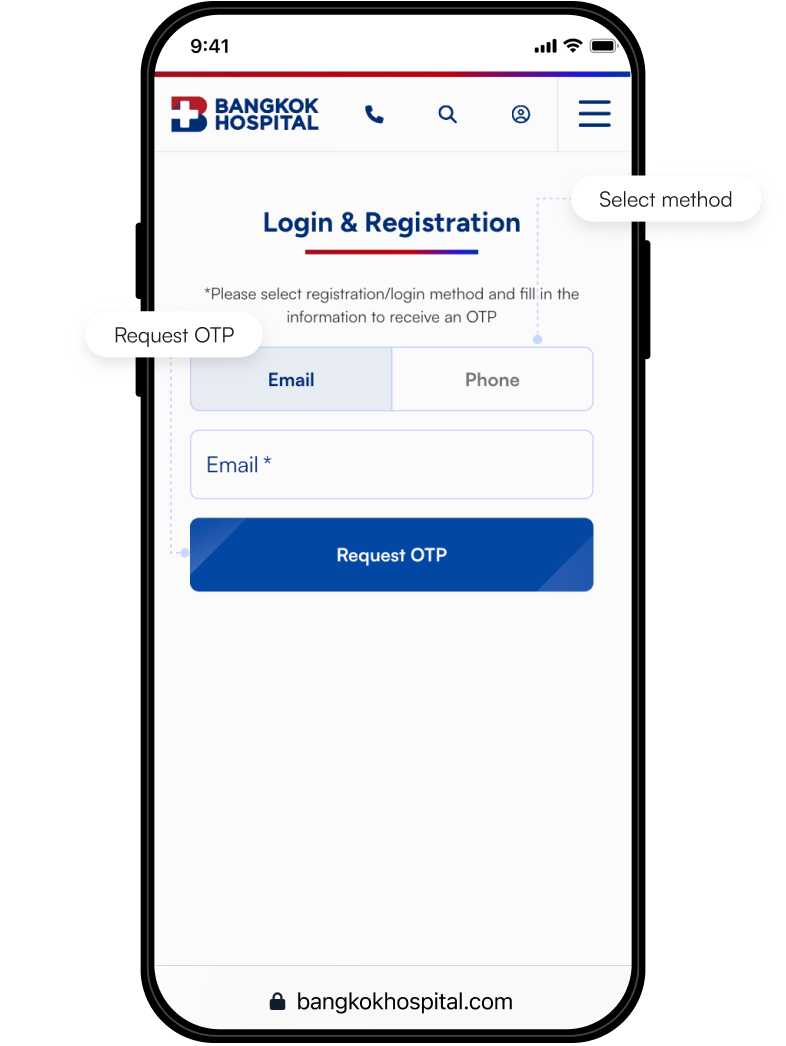
Sign up on the website
Sign up using your email or phone number. Fill in the required information and click “Request OTP”
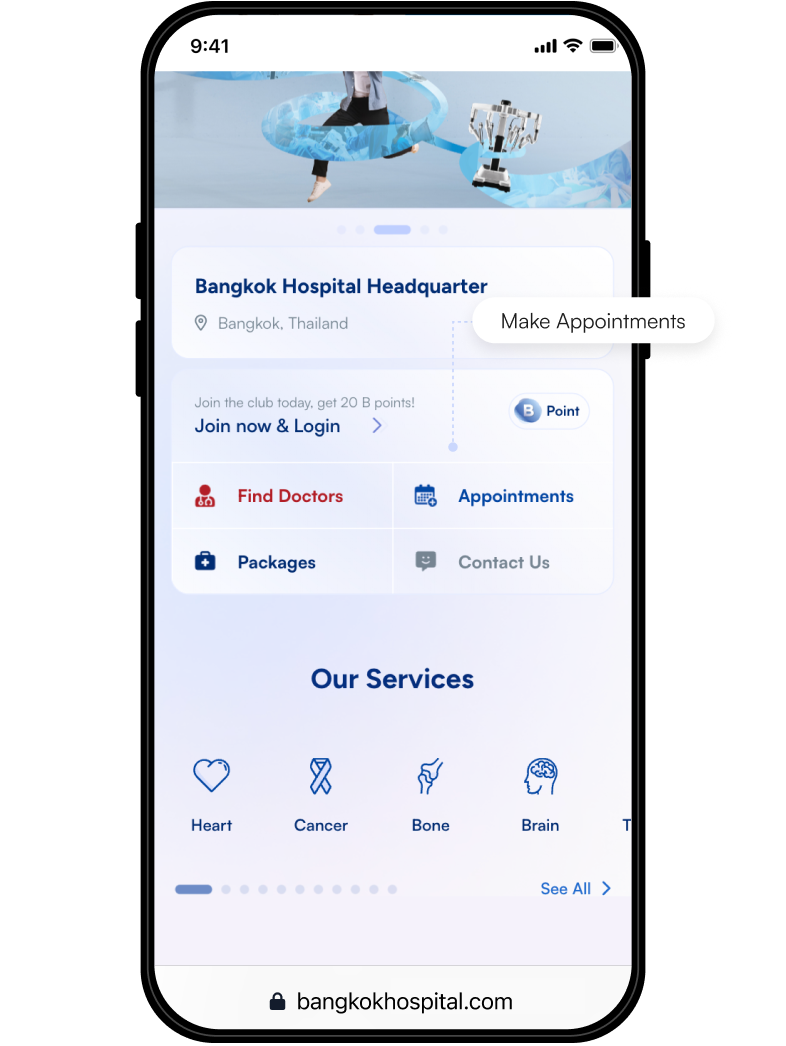
Click “Make Appointment”
Once logged in, click “Appointment” to get started
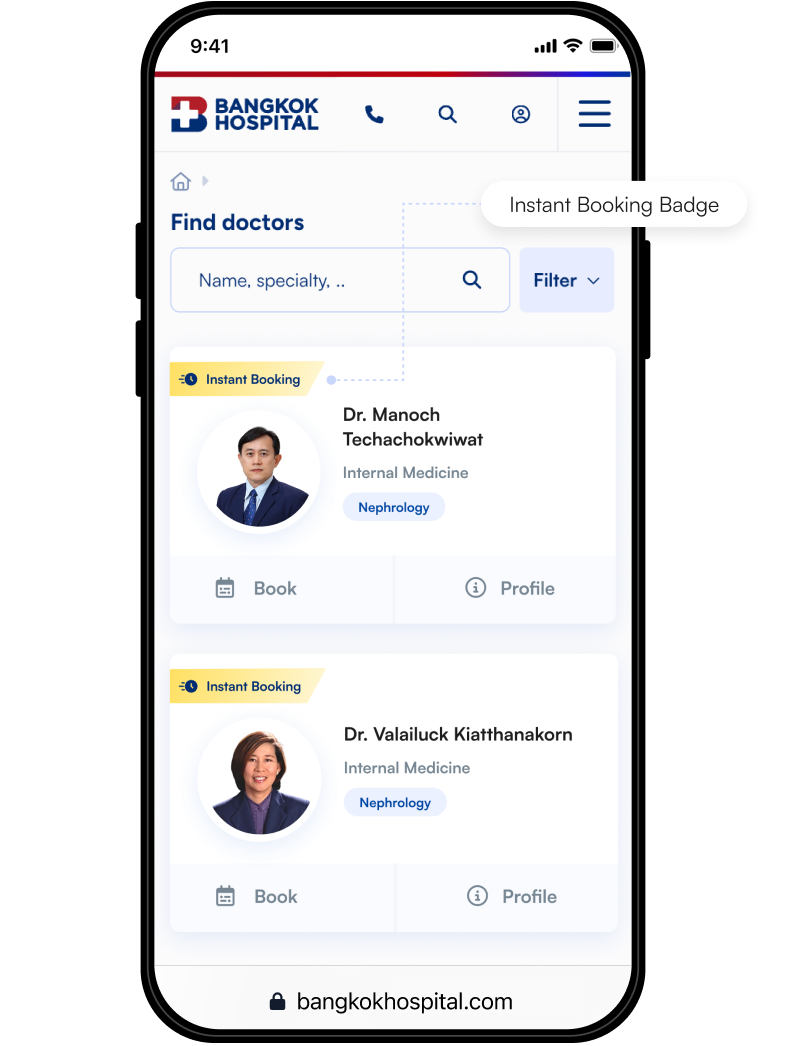
Look for the Instant Booking badge
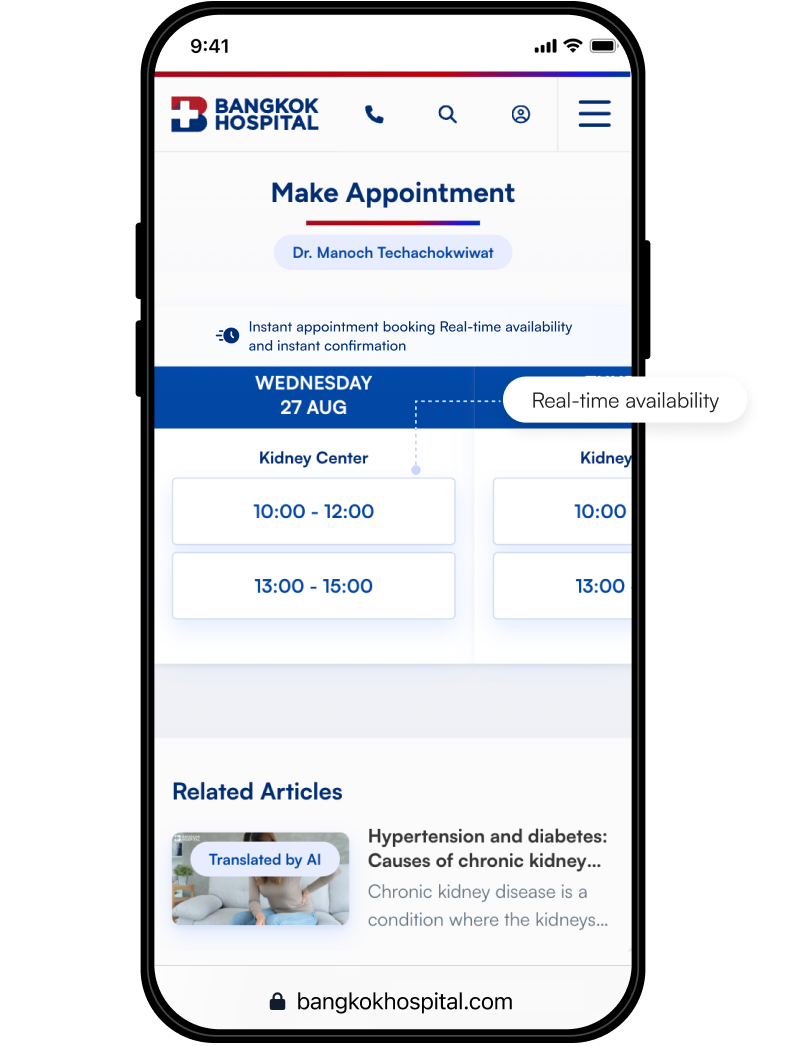
Search for your preferred doctor or browse by medical center/specialty. The badge means the doctor is available for instant booking.
View the real-time schedule
The system will show doctor available time slots in real-time schedule.
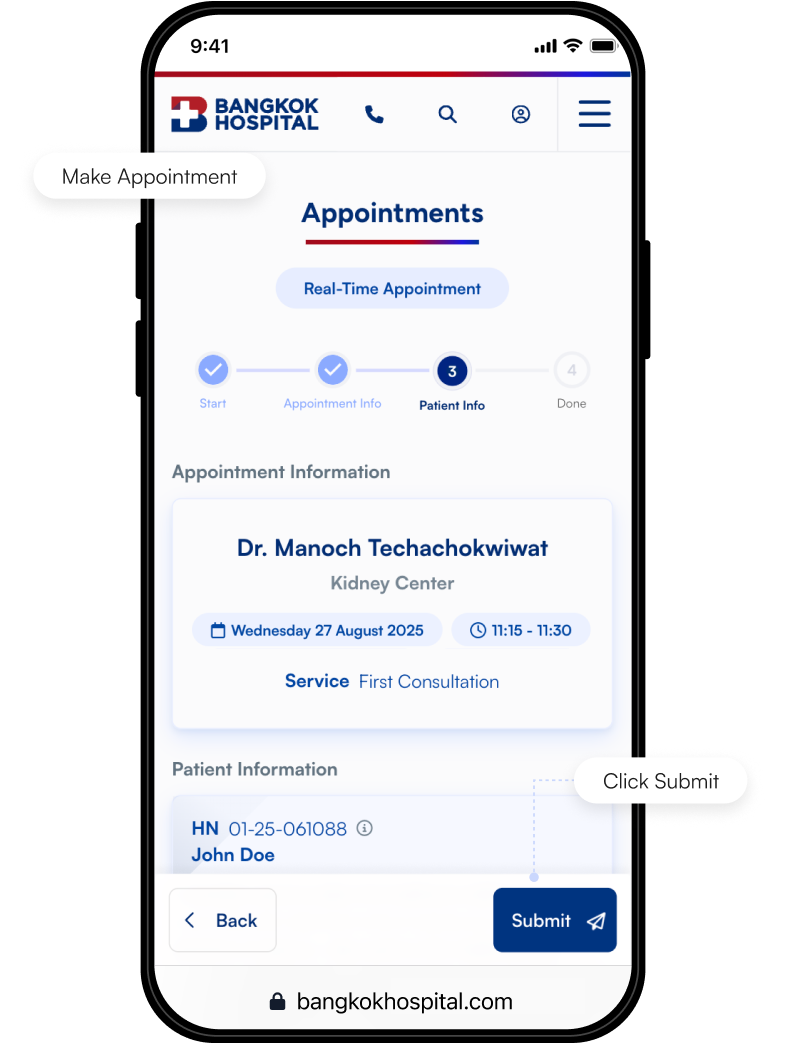
Submit your Appointment
Submit your instant booking by click ‘Submit’ and get instant confirmation
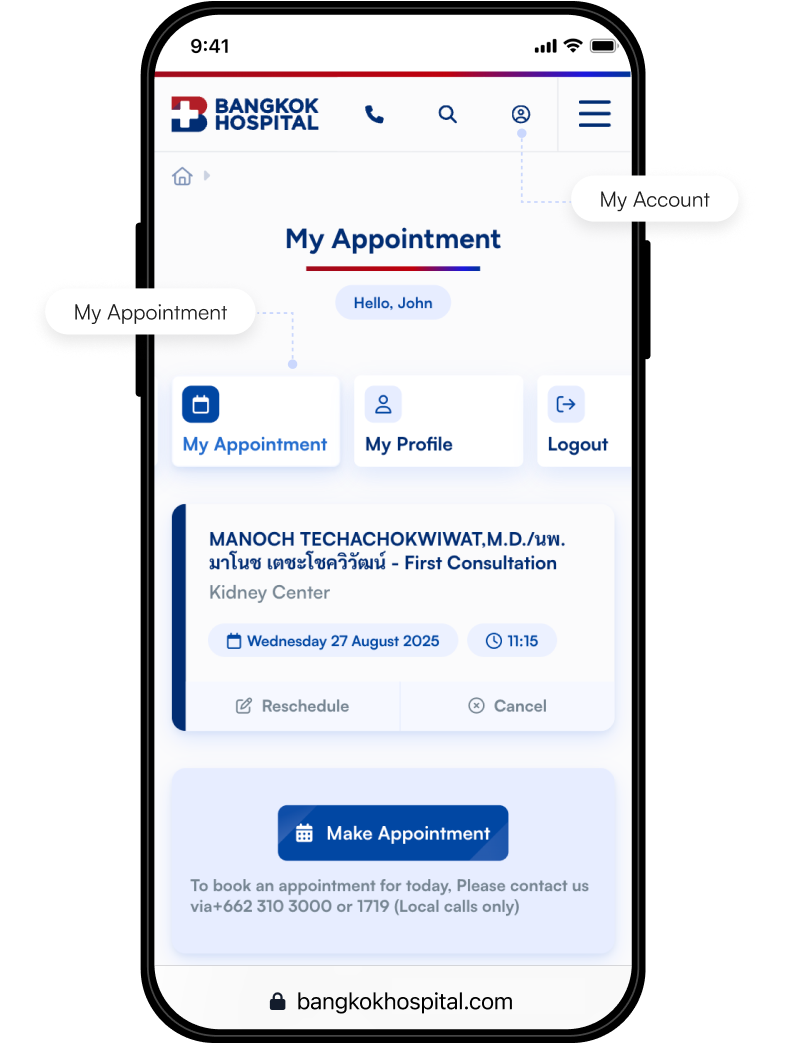
See your appointment
See your appointment at ‘My Account’ menu
Start Booking Right Away
Instant Booking lets you schedule doctor appointments in real time across our specialized centers. See live availability

Start Booking Right Away
Instant Booking lets you schedule doctor appointments in real time across our specialized centers. See live availability

HELP & SUPPORT
Frequently Ask Questions
You don’t need to be a previous Bangkok Hospital patient to use this service. Once you register as a member or log in with your email or phone number, you can access Instant Booking services instantly.
The instant booking system is not limited to scheduling doctor appointments. It also supports bookings for other services such as health check-ups and flu vaccinations. Users can conveniently select and book their desired services through the “Appointments” menu.
If a doctor’s profile does not display the Instant Booking icon, patients can still request an appointment as usual. However, the appointment will require confirmation from the hospital, and the patient will be contacted to confirm the booking.
You can view all of your upcoming appointments by clicking on your profile and selecting “My Appointment” This section will display the details of your appointments, including the doctor’s name, date, and time.
You can reschedule or cancel your appointment by yourself at www.bangkokhospital.com. Simply go to “My Appointments” and click “Reschedule” or “Cancel.”
Note: If the appointment is with a doctor who does not have an Instant Booking schedule, please wait for the hospital to contact you to confirm the changes.
Appointment bookings made through the website are not applicable for medical emergencies or same-day appointments. For medical emergencies, please contact 1724 (Emergency Line) or call +66 2 310 3000 for immediate assistance.